

Ticketing for independent promoters
Ticketing for promoters, one flat monthly fee, no cut of your sales.
Plans from USD 29.00 / month. Every sale goes straight to your own Stripe account.
30-day free trial (or your first 500 tickets, whichever comes first). No card needed. Stripe's payment fees apply from your first sale.
 Pause off-season and keep your data
- Ticket money goes straight to your own Stripe account
- Offline door scanning after one online sync

Venues
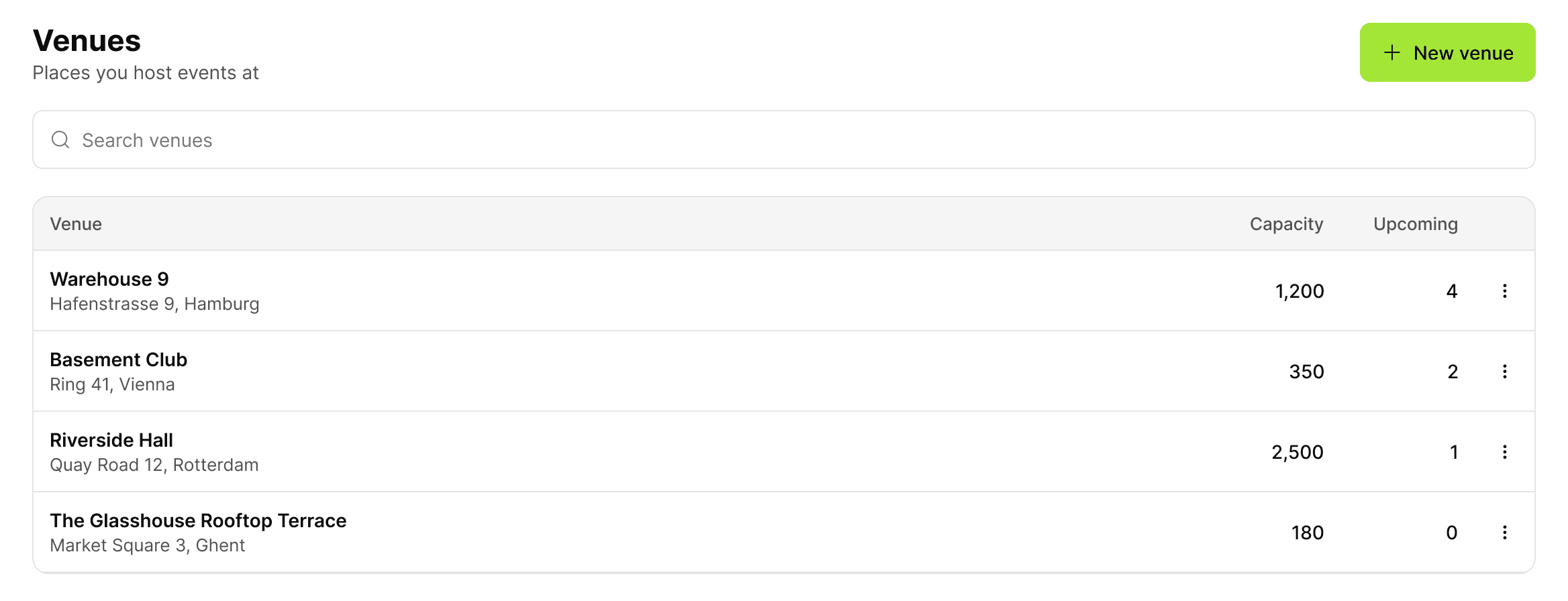
Every room you book, saved once.
Add each venue with its address, capacity and time zone, and reuse it for every event you put on there. Each venue keeps a list of its own events.
Tours
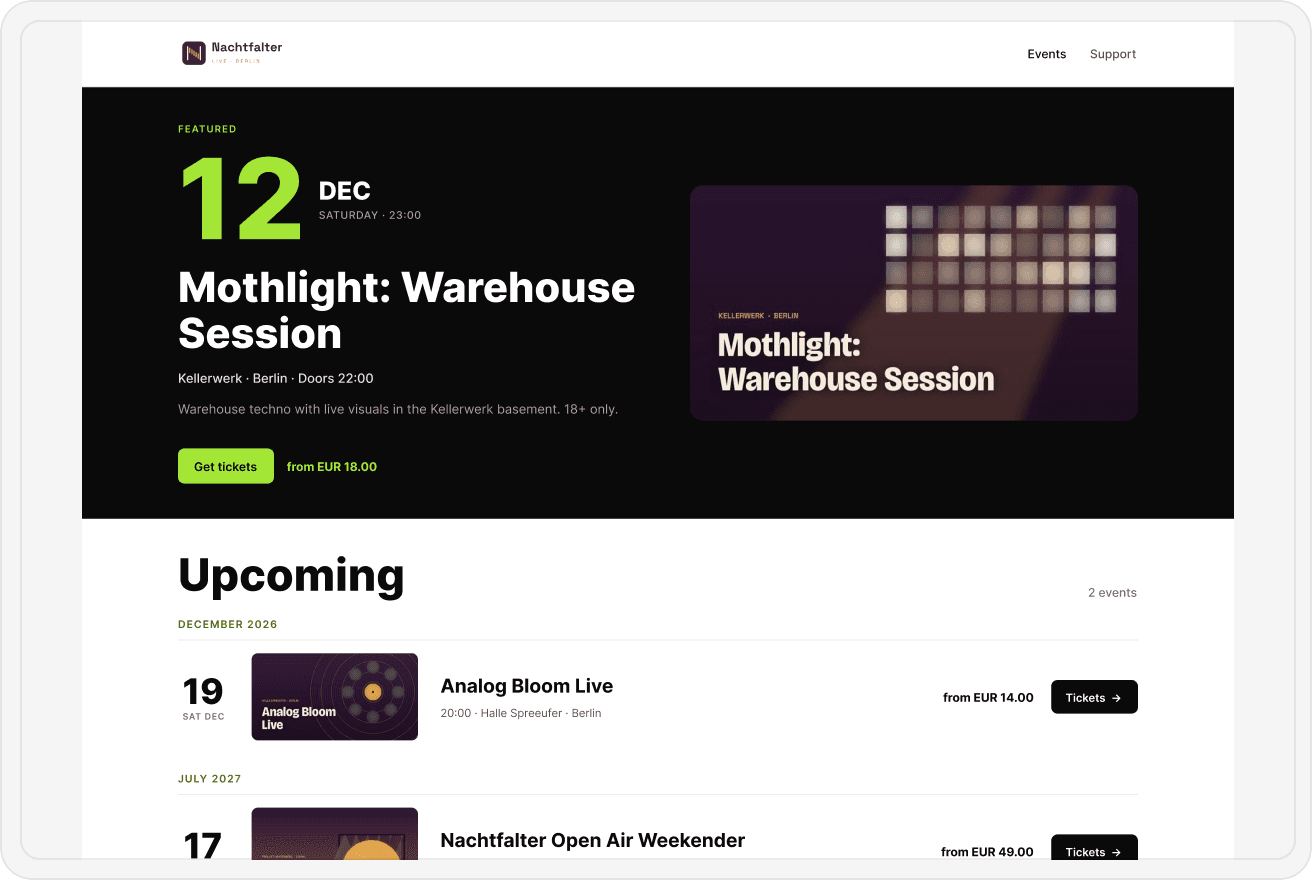
On tour, in every city's time zone.
Every venue has its own time zone, so doors, start times and sales windows show in local time wherever the event is. All dates sit together on your ticket page under Upcoming events.
Payouts
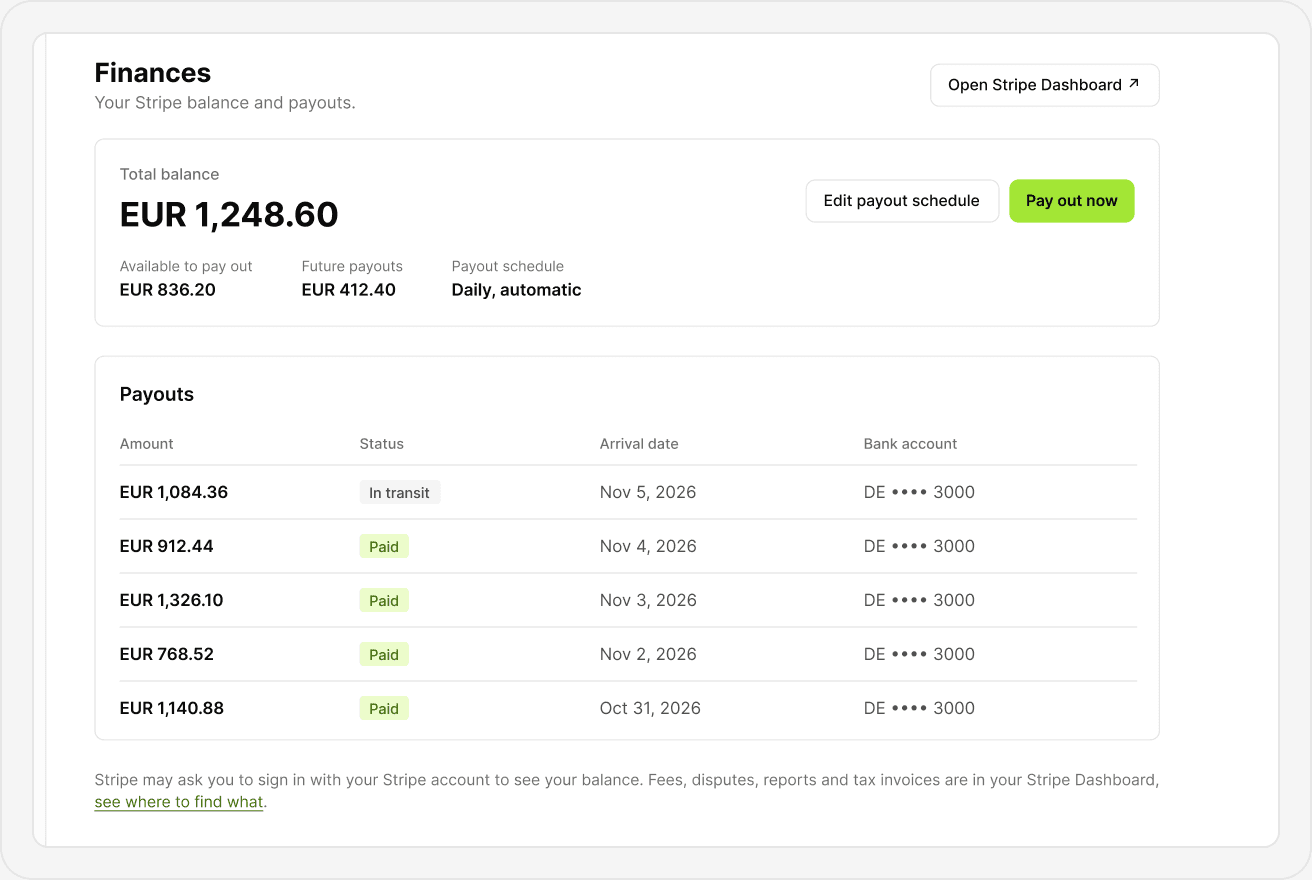
Ticket money goes straight to your Stripe account.
Connect your own Stripe account and buyers pay into it. Eventonite takes no commission. Your balance and payouts are visible in the app, and your payout schedule is between you and Stripe. You're the seller, so refunds, disputes and Stripe's fees come out of your Stripe balance.
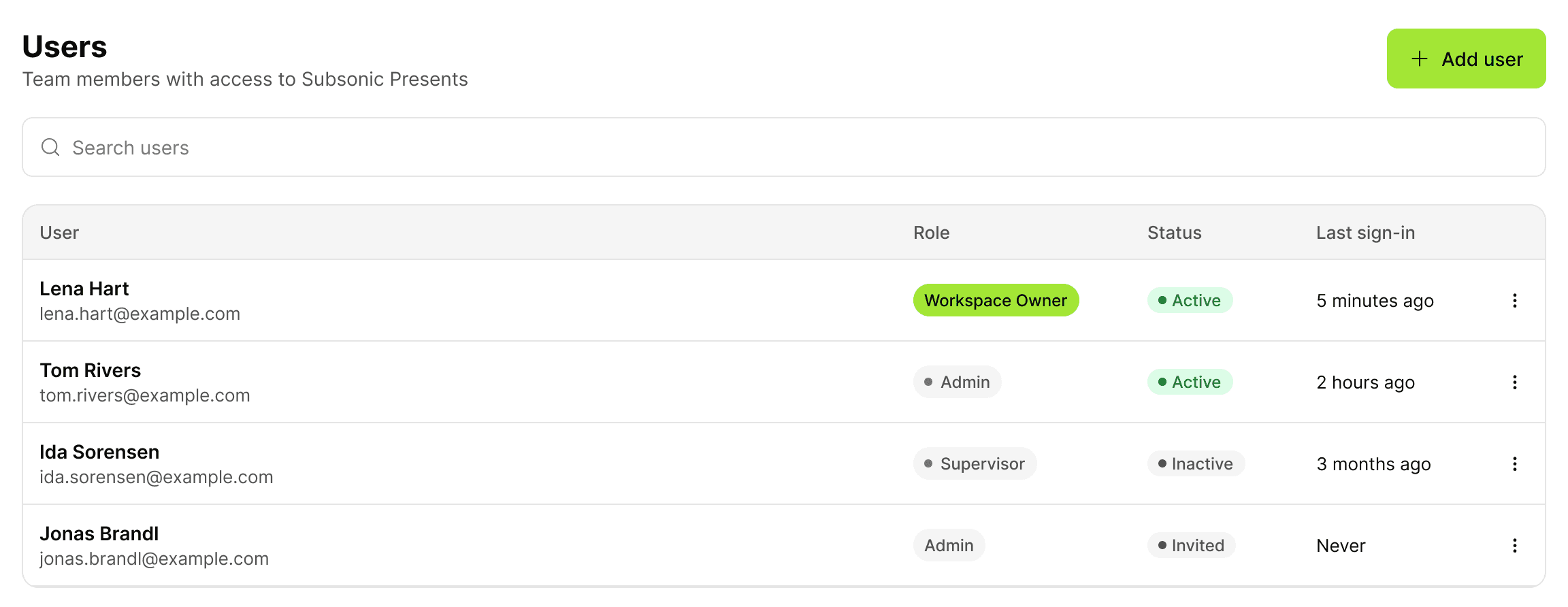
- Run more than one brand? Each brand gets its own workspace, with its own plan and Stripe account. Get invited to each and switch between them with one login.
Eventonite Scanner
Venue staff scan your tickets on devices they already have.
Each person at the door gets their own code, with no account needed, so venue staff can scan your tickets on devices they already have. The scanner installs like an app, with no app store.
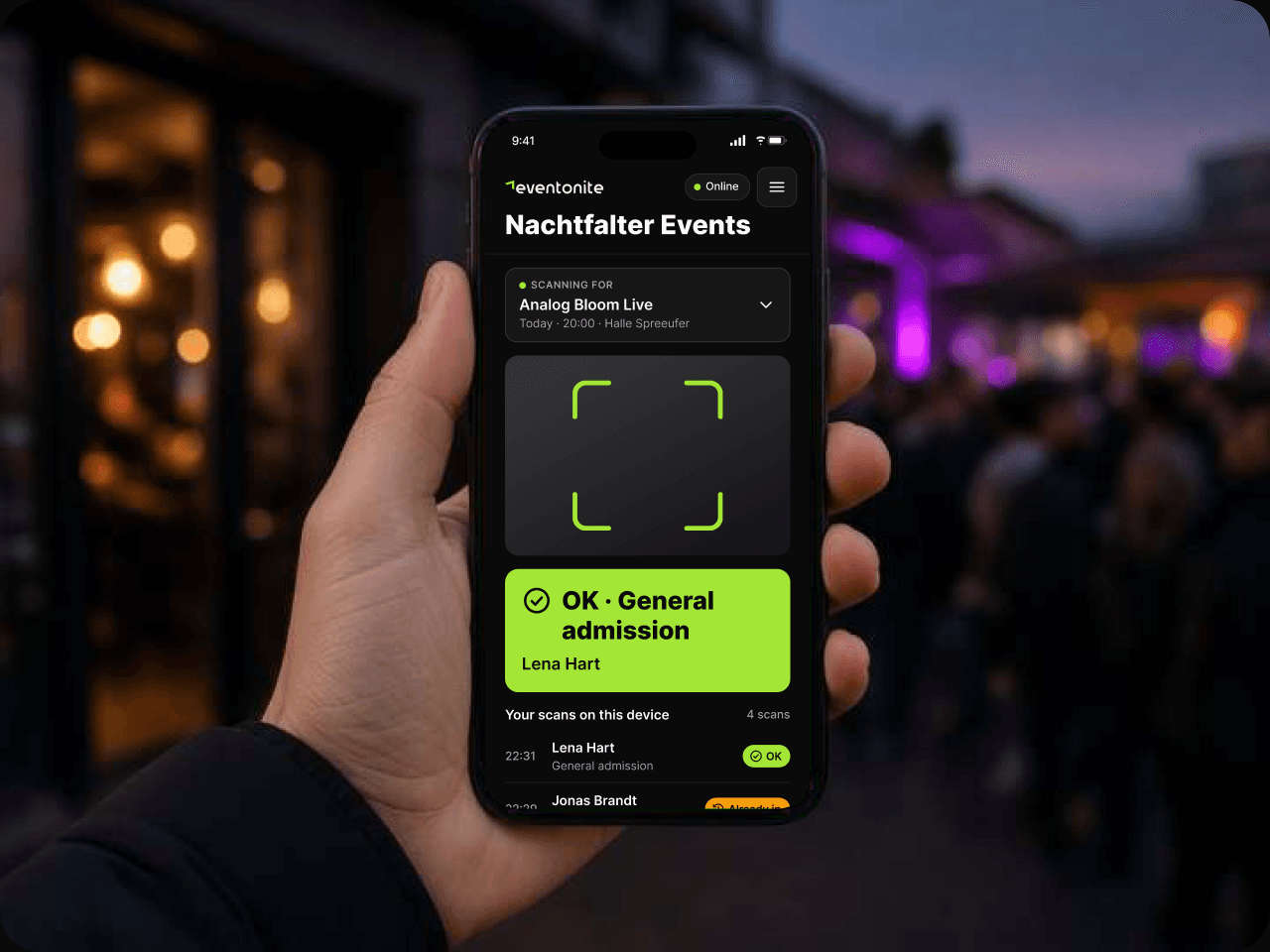
 Log in with a QR, a link or a codeEach person at the door gets their own code. No passwords, no app store.
 Camera or USB scannerScan with the device camera, or switch to a USB reader for busy doors.
 Clear results at a glanceA big green OK, an amber Already checked in, and a red result for invalid tickets.
 Keeps working offlineOpen the event once while online and its tickets are stored on the device. Scans upload as soon as the device is back online.
 Every door, in syncWhen it's online, a check-in at one door shows up on every device right away.
 Install it like an appAdd it to the home screen in a couple of taps.
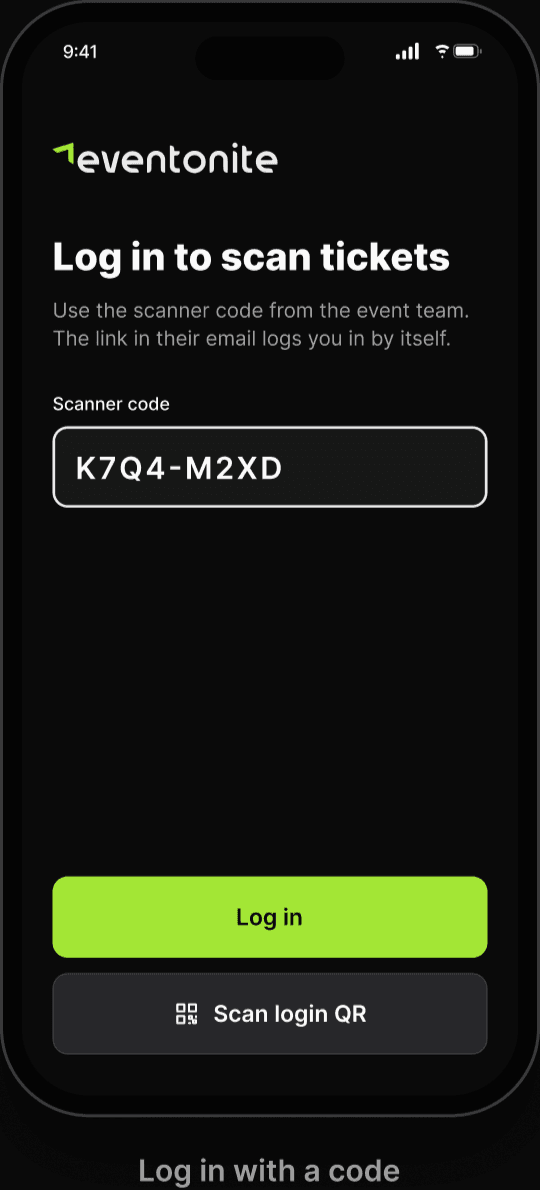 Log in with a code
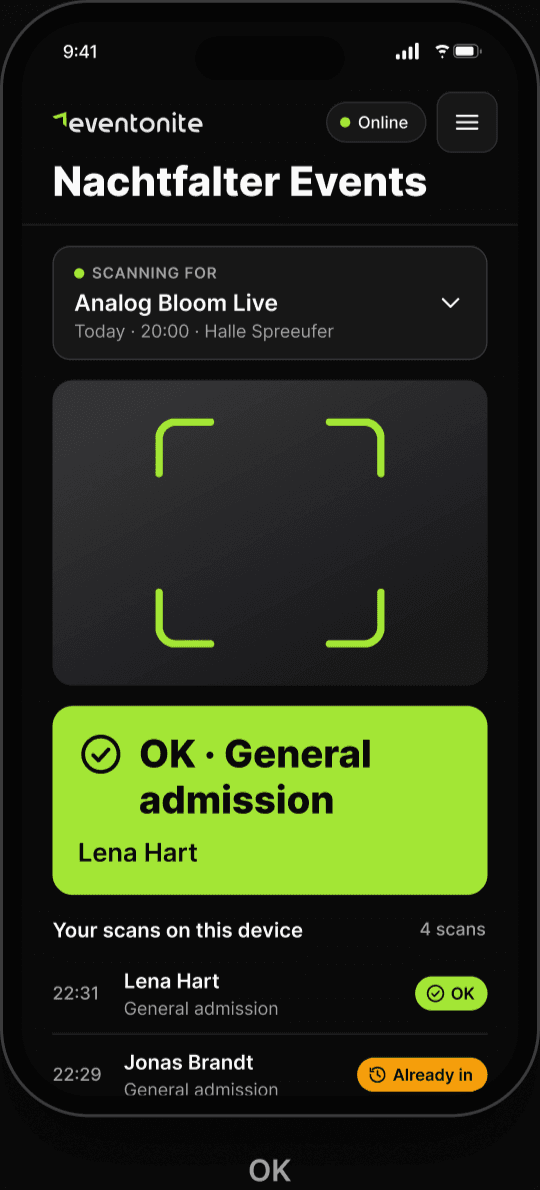 OK
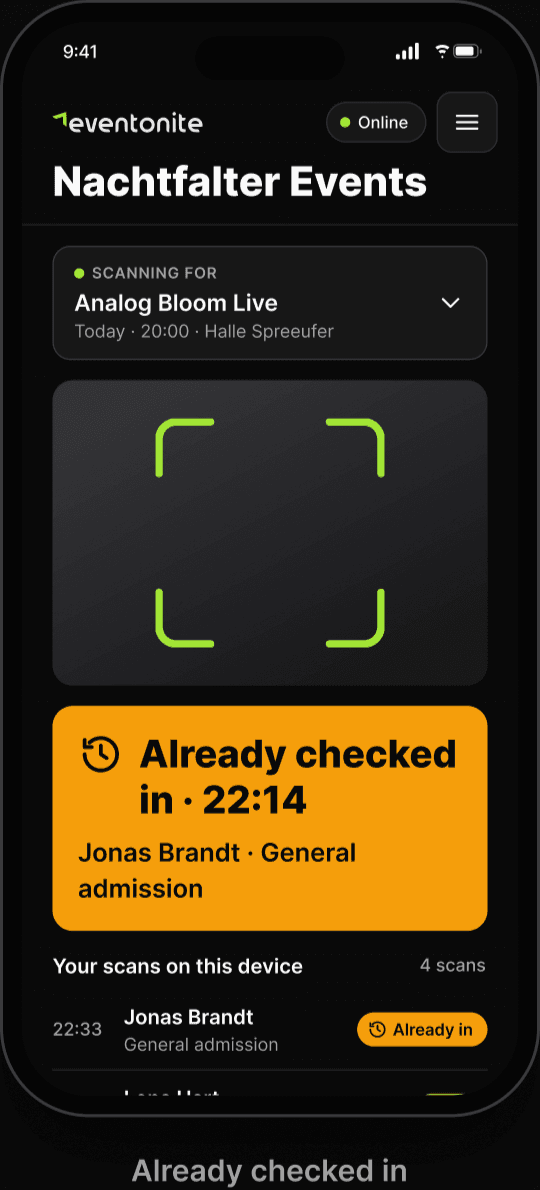 Already checked in
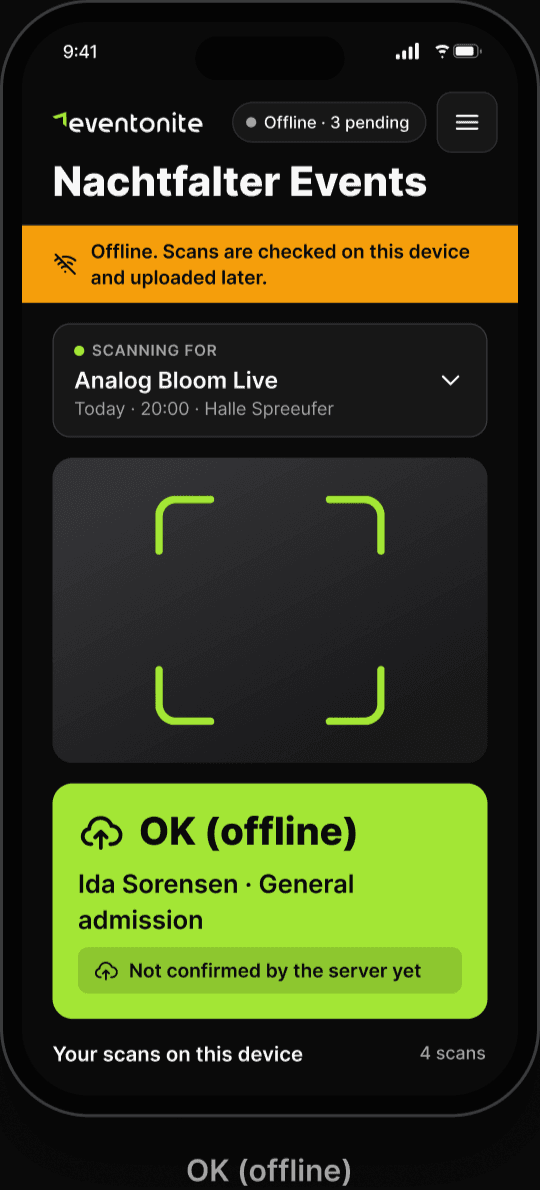 OK (offline)
Pricing
One flat monthly fee. Pick your plan.
Every plan has the full product. Choose by how many tickets you sell, with no cut of your ticket sales.
Recommended
Starter
USD29.00/ month
USD 290.00 / year
300 tickets a month
For promoters running a night or two a month who want a fixed cost and nothing taken from their tickets.
Start free trialRecommended
Growth
USD79.00/ month
USD 790.00 / year
1,200 tickets a month
For clubs and regular promoters with a busy weekly calendar.
Start free trialRecommended
Pro
USD189.00/ month
USD 1,890.00 / year
5,000 tickets a month
For bigger venues and concert organizers selling thousands of tickets a month.
Start free trialRecommended
Scale
USD499.00/ month
USD 4,990.00 / year
20,000 tickets a month
For festivals and multi-venue organizers with high ticket volume.
Start free trialEvery plan includes
 Ticket money goes straight to your own Stripe account
- Check-in scanner app
- Comp and guest-list tickets don't count toward your plan
- Pause off-season and keep your data
- Ticket page, emails and PDF tickets in 23 languages
- Above your plan's tickets, USD 0.12 each
Also on Eventonite
Made for the people who run music events.
FAQ
Questions organizers ask.
- Is there a free trial?
- Yes. A 30-day free trial or your first 500 paid tickets, whichever comes first, and you don't need a card to start. Your dashboard shows the days and tickets you have left, and we email you a week before your trial ends, again two days before, and at 400 paid tickets. Add a card before the trial ends and your plan starts with no gap. After the trial, ticket sales pause until you add one, then restart right away, and your events and data stay. Presale running past day 30 or 500 tickets? Add the card before you announce it. Stripe's payment fees apply from your first sale.
- Can I sell tickets for events at different venues and in different cities?
- Yes. Save each venue once with its own time zone, and every event shows its times in local time on your one ticket page.
- Can I run more than one promoter brand?
- Yes. Each brand gets its own workspace, with its own plan and Stripe account. Get invited to each and switch between them with one login from the Workspaces menu.
- Is the ticket page available in other languages?
- Yes. Your ticket page, the checkout, the confirmation email and the PDF ticket come in 23 languages, picked from the visitor's browser or the default you set for your page, and buyers can switch at any time. Your event names, descriptions and policies stay exactly as you wrote them.
- Can I scan tickets at the door without internet?
- Yes. Right before doors, open the scanner on every device while you still have Wi-Fi and check the header says Online: that pulls the latest ticket list and every check-in so far. After that, scans are checked on the device. Offline, each device only knows its own scans, so two offline devices could both let in the same ticket, and refunds since the last sync show up once it reconnects. Running more than one door? Put a laptop with a USB reader on the check-in page as your desk, and send every amber or red result there. Upload offline scans within 24 hours.
- Does Eventonite take a fee per ticket?
- Within your plan, no. Eventonite takes 0% of the ticket price, and above your plan's tickets it's USD 0.12 each. Stripe charges its own payment fees on every sale.
- What happens if I sell more tickets than my plan includes?
- Your sales keep going. Each ticket sold above your plan is USD 0.12. Refunded tickets still count, and comp and guest list tickets don't count toward your plan.
- Can I pause or cancel?
- Yes. A pause or cancellation takes effect at the end of your current billing period (on yearly plans, at the end of the year), with no refund for that period. While paused there's no fee and no new ticket sales, and your data stays. Resuming starts your plan again right away. Downgrades also take effect at the end of your billing period.
- How do yearly plans and plan changes work?
- Sales never stop when you reach your plan's tickets. On yearly plans your tickets are pooled for the year (12× the monthly amount). Upgrades apply right away and you pay the full price difference for the current period. Downgrades apply at the end of your billing period. Switching between monthly and yearly also takes effect at the end of your billing period, and you're charged for the new plan when it starts.
- Where does the ticket money go?
- Into your own Stripe account, not ours. Eventonite takes no commission, and Stripe pays it out to your bank on your payout schedule. You're the seller, so refunds, disputes and Stripe's fees come out of your Stripe balance.
- Do my door staff need an account to scan tickets?
- No. Each person at the door gets their own code and logs in with a QR, a link or the code, with no password and no app store.
- Will Eventonite bring me new buyers?
- No. We're not a marketplace and we don't promote your events. You bring the crowd. We take 0% of the ticket price, the money lands in your own Stripe account, and your own Meta, TikTok or GA4 pixel sees the checkouts and purchases on your ticket page (for buyers who accept cookies).
- How do I run two doors without letting the same ticket in twice?
- Sync every scanner right before doors: open it on Wi-Fi and wait until it says Online. Then set up one check-in desk: a laptop with a USB reader on the check-in page, where you can search a name, check someone in by hand or undo a check-in. Send every amber Already checked in and every red result to the desk, not to an argument at the door. When an offline device reconnects, its scans upload, and a ticket that got in at another door first shows as Already checked in. A Supervisor can run the desk without seeing your revenue.
- What happens to my tickets if Eventonite shuts down?
- Your ticket money is never with us: buyers pay straight into your own Stripe account. We will not shut down while you have events on sale or still to come. If we ever announce a shutdown, you will not be able to create new events, but every event you've already published runs to the end, including ticket sales and door check-in.
- Do I need to be a registered business?
- Yes. Eventonite is for companies and sole traders, not private individuals. Before you add a card or publish your first event, you enter your business name, billing address and tax number in Settings, Billing. The same details go on your invoices.
Put your next event on sale.
Create an account and set up your first event. 30-day free trial or your first 500 tickets, no card needed.